General Information
Workshop — Jan 17, 2026: 10AM to 12PM Presentation from — Sonny Green @ www.sonny.photos. Meeting place — Clerks Coffee Company (Emeline Hotel) 181 Church St, Charleston, SC 29 401, USA (Meet at the four chairs in the middle of the coffee shop). If you are late text, 843-843-6542 to find us.
Price: $50 per-person
READ FIRST: How to Use The Guide
This is a group workshop, not a private lesson. That means we will move together, learn together, and grow together as a class. If we’re all on the same page and similar in skill level, this guide will help us move smoothly (but it is not mandatory to follow this guide). If someone needs more help than others, we will support—but please make sure you know how to operate your own camera before joining this group setting. This guide is designed to walk us through ideas, exercises, and shooting techniques step-by-step. Nothing here is fixed—it’s a shared plan we’ll follow if we all agree. The more open, curious, and respectful we are as a group, the more we’ll get out of the workshop. Every section includes not just the concept, but an explanation of what it means, how it works, and why we’re doing it. Last, the amount of information in this syllabus is way more than what we can cover in two hours. This outline is meant for you to take home to continue your growth. Thank you for joining the
OVERVIEW
Smartphone Photography proves that great photos aren’t about the gear — they’re about the eye behind the lens. In this hands-on workshop, we’ll explore how to turn everyday moments into meaningful, expressive images using nothing more than the camera already in your pocket. You’ll learn simple, powerful techniques for composition, lighting, and editing on the fly, and you’ll begin to see your phone not as a backup camera, but as a serious creative tool. Come curious, leave inspired.
This workshop introduces beginner photographers to the foundational techniques, concepts, and creative practices needed to build confidence with their smartphone camera. Through guided demonstrations, hands-on exercises, outdoor photo walks, and group reflection, students will explore how light, exposure, and composition work together to create images that feel intentional rather than accidental.
The workshop unfolds in three progressive stages:
1. Learning to See Light & Compose Thoughtfully
You’ll train your eye to recognize good light, understand contrast, and use framing tools that guide emotion and storytelling.
2. Understanding How Your Smartphone Camera Thinks
We’ll break down how modern phones interpret scenes using computational photography, how to work around limitations like small sensors, and how to use built-in tools like exposure control, focus lock, Portrait Mode, and RAW capture.
3. Developing Personal Style & Storytelling
You’ll learn to slow down, anticipate moments, refine your visual voice, and make photographs that feel like you — even in fast-moving environments like the street.
This is a supportive learning environment where curiosity is encouraged, experiments are celebrated, and every question is welcome. You’ll be invited to practice intentionally, challenge your habits, and build a more confident photographic eye — one rooted not in gear, but in attention.
KEY TERMINOLOGY (Beginner-Friendly Guide)
Written specifically for smartphone photographers.
Exposure
How bright or dark your image appears. On phones, you control exposure by tapping the screen and sliding the brightness icon up or down.
Pro: Lets you shape mood and clarity.
Con: Easy to lose detail if you brighten too much.
Dynamic Range
Your phone’s ability to capture detail in both bright and dark areas at once. HDR blends several exposures into one.
Pro: Recovers blown-out skies and shadow areas.
Con: Can create a processed or “HDR look” if overdone.
Focus
The point in your photo that appears sharpest. Tap to choose focus.
Pro: Fast and intuitive.
Con: May struggle with moving subjects or low light.
Depth of Field
How much of the scene appears sharp. Phones naturally keep more of the image in focus.
Pro: Great for storytelling and layered scenes.
Con: Harder to blur backgrounds without Portrait Mode or creative workarounds.
Portrait Mode
Software that simulates shallow depth of field (the blurred-background look).
Pro: Beautiful for portraits and objects.
Con: May misinterpret edges or hair.
Shutter Speed (Simulated)
How movement appears — frozen or blurred. Phones infer shutter speed automatically.
Pro: Makes action capture easy.
Con: Slow simulated speeds can create unintentional blur.
ISO
Controls digital brightness. Higher ISO brightens but introduces grain/noise.
Pro: Useful in dark scenes.
Con: High ISO reduces detail.
White Balance
Controls the color temperature of your image (warm, cool, or neutral).
Pro: Essential for natural skin tones and mood.
Con: Auto WB may shift unpredictably.
Composition
How you arrange elements in the frame — what you include and what you exclude.
Pro: Strong composition transforms simple moments into compelling images.
Con: Relying too heavily on “rules” can make images feel stiff.
Natural Light
Sunlight, shade, window light, reflections — the foundation of smartphone photography.
Pro: Soft, flattering, and expressive.
Con: Always changing; requires awareness.
Computational Photography
The invisible processing your phone performs after the shutter is pressed — blending frames, smoothing noise, enhancing detail, correcting tone.
Pro: Makes small cameras remarkably powerful.
Con: Can override your intention unless you take control.
RAW Format
A file that stores all available sensor data for editing flexibility.
Pro: Best for serious editing in apps like Lightroom.
Con: Larger files and requires manual adjustments.
Manual / Pro Mode
Controls for adjusting focus, ISO, shutter speed, and white balance yourself.
Pro: Gives full creative control.
Con: Takes practice; slower than auto mode.
PART I — THE INVISIBLE CAMERA: A NEW WAY OF SEEING
1 — A Different Kind of Camera, A Different Kind of Seeing
A smartphone doesn’t wait for permission to be considered a “real camera.”
It’s a pocket-sized notebook made of light — a tool that blends into your daily life until the exact moment something meaningful appears. Because it draws no attention, it becomes the most honest camera we’ve ever known.
Where traditional cameras announce the photographer’s presence, the smartphone quietly observes. Large cameras demand performance from the world. A smartphone encourages authenticity.
This book is not about technical horsepower. It’s about cultivating a way of seeing — learning to observe slowly, breathe deeply, and recognize the significance hidden inside ordinary scenes.
Smartphones changed photographic history not because they were powerful, but because they were present. They lived in pockets, rested on nightstands, watched over dinners, commutes, celebrations, heartbreaks.
You carry the smallest witness ever made.
You carry a new way of paying attention.
Helpful Tip: Before lifting your camera, pause for two seconds and ask, “What is the smallest detail I’m noticing right now?” That question opens the eye.
2 — The Rituals of Attention
Every photographer benefits from small rituals. These simple actions help transition from casual looking to intentional observation.
Your rituals are:
- Clean the lens
- Increase screen brightness
- Switch to airplane mode
- Hold the phone with two steady hands
- Take a slow breath before pressing the shutter
These habits sharpen your awareness and tune your senses. They tell your mind that you are entering a different mode of seeing.
John Berger wrote that seeing is shaped by thinking. Smartphones flipped that relationship — now thinking is often shaped by what we photograph. Rituals restore control.
A photograph isn’t taken.
It’s accepted.
Your rituals prepare you to receive what the world offers.
Helpful Tip: Choose a “starter ritual word” like focus, quiet, or notice. Whisper it before every photo session to shift your mindset.
3 — Clean or Dirty Lens: Two Kinds of Memory
A spotless lens produces clarity.
A smudged lens produces mood.
One reveals the world precisely as it appears.
The other evokes the feeling of memory — soft, imperfect, emotional.
Before algorithms smoothed every edge, photographers relied on optics and atmosphere to create emotion. A slightly dirty lens can be a gentle rebellion against digital perfection.
John Berger said every image interprets reality.
A hazy lens simply makes that interpretation visible.
Exercises:
• Photograph the same subject with a clean lens and a smudged lens. Compare the emotions.
• Create a portrait with a soft haze. Observe how it shapes personality.
• Dirty only the bottom half of your lens and study how it shifts weight.
Helpful Tip: Carry a microfiber cloth. Wipe intentionally or smudge intentionally — the key is choosing the atmosphere on purpose.
4 — Brighten Your Screen: Teaching Yourself to See Light
The phone’s brightness setting is your training ground for understanding exposure. Turning it up reveals:
- where shadows deepen
- where highlights begin to break
- where colors start to shift toward overexposure
This is not just a technical adjustment — it’s a way to sync your eyes with the camera’s interpretation of the world.
Susan Sontag believed cameras change how we experience reality.
Smartphones magnify that truth.
By brightening your screen, you begin to preview what your camera will record, not just what your eyes see.
Exercises:
• Photograph one object at three brightness levels.
• Spend five minutes capturing only shadow shapes.
• Find reflections — in glass, metal, or puddles.
Helpful Tip: Squint slightly when studying a scene. It simplifies the light and helps you predict exposure.
5 — Airplane Mode + Two Hands: Returning to Presence
Airplane mode silences the world and frees the photographer. No notifications, no interruptions — just you and the act of seeing.
Two-handed shooting stabilizes both the image and your breathing. When your hands steady, your awareness sharpens.
Vilém Flusser warned that devices “program” us. Airplane mode interrupts the program and reminds you that the phone is a tool, not a portal.
Exercises:
• Ten photos, five minutes, airplane mode ON.
• Shoot with elbows tucked, like using a film rangefinder.
• Walk 100 steps. Take a photo of the first thing that captures your attention.
Helpful Tip: Take one long inhale before each shot. Release half the breath and press the shutter during the stillness.
6 — The Grid: Training Your Instinct
The rule-of-thirds grid isn’t a rule — it’s scaffolding.
Composition is a language, and the grid helps you learn its grammar until your instincts take over.
Over time, you stop calculating and start feeling balance.
Berger wrote that every image communicates a worldview. Choosing where to place your subject is a philosophical act — you’re deciding what matters.
Exercises:
• Frame twenty scenes using the grid intersections.
• Break the rule by centering boldly.
• Use leading lines to guide the viewer’s emotion.
Helpful Tip: After framing your shot, tilt the phone slightly up or down. Small shifts often unlock more powerful compositions.
7 — Lightroom, RAW, and the Return of Intention
Shooting in RAW says:
“I want full control. I will decide later what this light means.”
RAW recovers detail, protects highlights, and preserves subtle shifts. It’s the opposite of letting the phone decide everything for you.
Meanwhile, your phone quietly:
- merges several frames
- reduces noise
- corrects color
- enhances edges
RAW disables many of those auto-decisions and hands authorship back to you.
Exercises:
• Shoot RAW and JPEG versions of the same scene. Edit both.
• Spend an hour using manual sliders.
• Try warm vs. cool white balance for the same subject.
Helpful Tip: Come back to your RAW files the next day. Fresh eyes reveal subtleties you missed.
8 — Contrast: The Birthplace of Emotion
Contrast is where tension lives — the edge between bright and dark, soft and hard, seen and unseen.
Before AI softened every gradient, photographers relied on contrast to carve meaning from a scene. Today, contrast becomes a negotiation: you ask the phone to let the shadows be shadows.
Exercises:
• Shoot only shadows for five minutes.
• Photograph reflective surfaces.
• Capture silhouettes by putting the subject between you and the light.
Helpful Tip: Identify the strongest contrast in the frame. Place your subject near that boundary — emotion gathers there.
9 — Aspect Ratios: The Shape of a Story
Different shapes tell different stories:
- Vertical feels intimate
- Horizontal feels narrative
- Square feels contemplative
- 16:9 feels cinematic
Smartphones made switching shape effortless — and each shape subtly influences emotional tone.
Sontag wrote that framing is an argument.
Choosing an aspect ratio is your first argument about what matters.
Exercises:
• Photograph one subject in every aspect ratio.
• Build a mixed-ratio 10-photo sequence.
• Use ultra-wide mode to experiment with dramatic proportions.
Helpful Tip: Before choosing a ratio, ask: What do I want the viewer to feel? Let emotion choose the frame.
10 — Black & White: Returning to Structure
Removing color brings the photograph back to bones and breath — light, form, gesture, timing.
Kathy Ryan’s Office Romance proves that smartphone black-and-white can feel poetic and architectural at once.
Exercises:
• Shoot only in monochrome for one hour.
• Find textures — fabric, skin, walls, paper.
• Photograph gestures — hands, movement, posture.
Helpful Tip: When shooting B& W, look for shape and shadow first. Color distracts; structure speaks.
PART II — THE LENS, THE APPARATUS, THE ALGORITHM
Technique becomes philosophy. The smartphone begins to think with you.
11 — Abstract Seeing: Breaking the Spell of Literal Reality
Reality is already too literal.
The smartphone frees you from describing the world exactly as it appears. It flattens space, sharpens what you didn’t notice, and lifts patterns out of ordinary scenes.
When you shoot abstractly, you ask the viewer to feel instead of identify. You invite imagination into the frame.
Flusser suggested that creativity begins when a photographer produces images the device itself doesn’t expect.
Abstraction is your escape route from the predictable.
Exercises:
• Create ten images where the subject cannot be immediately recognized.
• Photograph reflections — let the camera bend truth.
• Move closer until details dissolve into patterns.
Helpful Tip: When making abstractions, rotate your camera at odd angles — abstraction often appears when orientation no longer makes sense.
12 — Smallness as a Superpower
The smartphone’s size is not a disadvantage; it is access.
It fits where “serious cameras” cannot — cracks, corners, windowsills, pockets of light. It sees from perspectives unavailable to larger tools.
Slide it against glass.
Slip it under objects.
Set it inches from the ground.
John Berger wrote that viewpoint shapes understanding.
Smallness expands your possible viewpoints.
Exercises:
• Create a series shot entirely from ground-level.
• Insert your phone into five confined spaces and photograph what emerges.
• Shoot through leaves, branches, mesh, railings.
Helpful Tip: Carry a small microfiber cloth so you feel comfortable placing your phone directly against surfaces — it expands your access and protects your lens.
13 — The Side Button: Photography Returns to the Body
Touchscreens disconnected photography from physicality.
The side button brings it back.
When you use the volume button to shoot:
- your arms brace
- your breath steadies
- your timing becomes precise
- your whole body enters the act
Flusser believed photography was a negotiation between human gesture and mechanical possibility.
The side button restores this negotiation.
Exercises:
• Photograph street scenes using only the side button.
• Practice holding steady in low light.
• Create five horizontal shots without adjusting your grip.
Helpful Tip: Use your body like a tripod — lean against a wall or pole when pressing the side button for extra stability.
14 — Objects in Front of the Lens: Welcoming Interference
Anything can become a filter:
- plastic wrappers
- napkins
- leaves
- fabric
- smudges
- raindrops
- colored gels
These “obstructions” soften, distort, color, and reshape your image. They turn accidents into intentional atmosphere.
Sontag noted that photography frames the world.
Smartphones allow the world to frame the photograph.
Exercises:
• Shoot through a translucent wrapper.
• Stretch fabric lightly over the lens.
• Photograph through dirty windows or scratched glass.
Helpful Tip: Keep a tiny piece of colored plastic (from candy wrappers or gels) in your wallet — it turns any scene into an instant mood study.
15 — Photographing the Odd, the Misplaced, the Beautifully Wrong
Smartphones thrive on subtlety.
They capture the crooked chair, the misplaced object, the strange shadow, the scrap of humanity no one else notices.
Because the phone feels harmless, the world stays honest around it.
The “odd” is often the doorway to voice.
Exercises:
• Document five out-of-place objects.
• Capture “accidental beauty” — trash, cracks, broken signs.
• Find characters inside shadows or reflections.
Helpful Tip: When something feels “off” but you can’t explain why, photograph it anyway — intuition leads voice.
16 — Patience and the Received Moment
The decisive moment is never forced.
It arrives when the world aligns: gesture, timing, light, meaning.
Stand still.
Watch motion repeat itself.
Wait for the moment that clicks internally before it clicks on your camera.
Berger described photographs as “quotations of time.”
The smartphone lets you quote more often — but meaning still requires patience.
Exercises:
• Pause 30 seconds before each shot.
• Predict someone’s movement and photograph the peak gesture.
• Capture five scenes while standing in one spot.
Helpful Tip: Count your breaths while waiting — steady breathing helps you anticipate rhythm.
17 — The Small Sensor: Everything in Focus, Everything Equal
Smartphone sensors are tiny, which means they naturally keep everything sharp.
What big cameras call a limitation becomes an advantage:
- layered storytelling
- coherent reflections
- equal value across foreground and background
- strong architecture
- community-focused scenes
Flusser might say small sensors democratize the image — nothing becomes privileged by blur.
Exercises:
• Photograph a busy urban scene with layers of activity.
• Capture reflections where all details remain crisp.
• Look for patterns that unfold across the whole frame.
Helpful Tip: Instead of isolating one subject, try composing scenes where five or six elements interact — the small sensor thrives in complexity.
18 — The Phone’s Natural Depth of Field: An Honest Perspective
Portrait mode can fake background blur, but the smartphone’s natural depth of field is its true signature. Everything remains in play.
Use this for:
- environmental portraits
- narrative scenes
- layered reflections
- documentary-style imagery
Let the entire world participate.
Exercises:
• Build a three-layer composition: near, middle, far.
• Shoot through glass so every layer is readable.
• Photograph motion inside a deep scene.
Helpful Tip: Step back a few inches instead of using portrait mode — natural depth looks cleaner and more intentional.
19 — The Lens & Closeness: Intimacy Through Proximity
Because phone lenses are so small, they can focus extremely close.
This creates intimacy no large camera can match.
You can:
- shoot one inch from a surface
- place the lens directly on glass
- explore textures like landscapes
- turn small objects into enormous worlds
Sontag described photography as a form of acquisition.
Closeness shifts the act from acquiring to entering.
Exercises:
• Photograph surfaces at close range — wood, skin, stone, fabric.
• Create abstract “landscapes” from textures.
• Press your lens flat against a window for another perspective.
Helpful Tip: Use your off-hand to shade the lens when shooting close — it reduces flare and deepens texture.
20 — Computational Photography: When the Camera Begins to Interpret
Your smartphone does not make one image.
It gathers many and merges them:
- multiple exposures
- color analysis
- motion compensation
- sharpening and noise control
- facial recognition
- simulated optics
- predictive inference
This is not traditional photography — it is interpretation.
Flusser predicted that cameras would one day “think” for the photographer.
We now live inside that prediction.
Your task is not to reject computational assistance, but to guide it.
Exercises:
• Shoot RAW to override the phone’s choices.
• Use manual controls to counter automation.
• Compare a fully automatic photo with a fully manual one.
Helpful Tip: When shooting in high-contrast scenes, tap the darkest area you want preserved — this tells the computational engine what to prioritize.
21 — Low Light: The Impressionist Camera
In dim light, the smartphone transforms into a soft-brushed, moody instrument.
Noise becomes texture.
Blur becomes movement.
Colors dissolve into tone.
Night Mode is powerful, but natural low light is poetic — let it be imperfect.
Exercises:
• Photograph for an hour in low light without Night Mode.
• Capture intentional blur by slowing down your movement.
• Embrace noise as a visual signature.
Helpful Tip: Use stable objects — tables, railings, walls — as makeshift tripods to reduce shake in low light.
22 — Burst Mode, Live Photos, and the Reflexive Eye
Smartphones see faster than we do.
Burst mode gathers dozens of micro-moments.
Live Photos record what happened before and after you tapped.
These features create a new partnership: the phone captures possibilities you didn’t even realize were occurring.
This raises a question:
Who truly captured the moment — you or the device?
Exercises:
• Photograph moving water with burst mode.
• Capture a sequence of gestures, then choose three frames.
• Review alternate frames from Live Photos.
Helpful Tip: For action, begin pressing the shutter a moment before the motion peaks — your phone will capture the lead-up.
23 — Ultra-Wide: The Lens That Bends Space
Ultra-wide lenses reshape reality:
- stretching foregrounds
- expanding interiors
- exaggerating perspective
- bending straight lines
- compressing ceilings
Used thoughtfully, this distortion becomes narrative.
Exercises:
• Hold your phone inches from the ground and shoot upward.
• Fill the bottom of the frame with something close.
• Photograph a narrow hallway or alley.
Helpful Tip: Tilt the camera slightly downward with the ultra-wide to reduce extreme distortion unless you want that effect.
24 — Panorama: A Moving Paintbrush
Panorama mode is not just for sweeping horizons.
It bends time and geometry as you move. With small motions, you can achieve:
- duplicated subjects
- melting architecture
- elongated shadows
- surreal body shapes
- flows of motion
It behaves more like a brush than a lens.
Exercises:
• Have someone walk through the frame while you pan.
• Use a vertical pano to capture tall structures.
• Intentionally twist your body mid-pan to warp lines.
Helpful Tip: Move at a consistent speed during the pano — uneven motion exaggerates distortion in beautiful ways.
25 — Shooting Through Surfaces: Photography as Layers
Smartphones focus easily through:
- fogged glass
- dirty windows
- double panes
- screens
- mesh
- reflections
- raindrops
These layers turn scenes into visual poems.
Berger believed photographs reveal hidden layers of meaning.
Smartphones make those layers available everywhere.
Exercises:
• Press your lens gently against a window.
• Capture double reflections (inside and outside).
• Photograph through mesh to add patterned overlays.
Helpful Tip: Tilt the phone slightly to catch reflections intentionally — small changes dramatically shift what appears.
26 — What Makes a Smartphone Photo Good?
A strong smartphone image is not defined by megapixels or sharpness.
It’s defined by:
- clear intention
- emotional presence
- meaningful timing
- interesting light
- an unexpected element
- a quiet voice
- human truth
Smartphone photography is the art of seeing while passing through the world. You are not staging — you are noticing.
Helpful Tip: Before taking any photo, silently ask yourself: “What am I actually trying to say here?” If you can answer, you’re ready to press the shutter.
PART III — THE HISTORY, PHILOPHY & FUTURE OF SEEING WITH A SMALL CAMERA
How technology reshaped perception, and how the smartphone changed what it means to photograph.
27 — Before the Pocket Camera: Photography as an Event
In the early centuries of photography, making an image required ceremony.
You brought heavy equipment, measured light, mixed chemicals, set up tripods, arranged subjects. Every photograph was a performance — a slow, deliberate engagement with time.
Even as equipment improved — from large-format cameras to compact 35mm — the presence of a camera still altered behavior. People stiffened. Faces changed. The world performed for the lens.
Susan Sontag warned that the camera influences how humans experience and record their lives. She predicted that increasing accessibility would shift how we remember, behave, and consume moments.
What she could not foresee was a camera so small it could vanish into everyday gestures.
A camera no one adjusted themselves for.
A camera that documented life as it truly unfolded.
Helpful Tip: Study old family albums as research — observe how people behaved when cameras were rare. Let that contrast teach you what the smartphone does differently today.
28 — 2000–2007: Early Camera Phones & the New Habit of Seeing
When the first camera phone appeared in 2000 — Sharp’s J-SH04 — it offered little more than a blurry stamp-sized image. Yet it initiated a revolution. Photography detached from specialized equipment and fused with daily life.
By 2002, manufacturers like Nokia and Sanyo were shipping phones with built-in cameras across the world. People photographed:
- pets
- dinners
- signs
- friends
- the mundane
- the absurd
- the unremarkable moments they never thought to document before
Photography shifted from intention to impulse. From planned events to spontaneous snippets. A new way of looking emerged: a constant, scanning attention — the early roots of the “smartphone eye.”
Helpful Tip: Spend one day taking photographs only of mundane, everyday moments — groceries, shoes, street corners. Notice how the ordinary begins to reveal its own poetry.
29 — 2007 and the iPhone: When Photography Became Communication
The first iPhone didn’t contain a remarkable camera.
Its power came from unifying photography with an operating system, connectivity, and a touchscreen interface. For the first time:
- the camera lived inside your pocket
- editing happened instantly
- sharing required no extra steps
- images flowed into conversations
Photography became part of how people interacted.
Instagram (2010) turned images into social currency.
Snapchat (2011) transformed images into overheard whispers — fleeting, casual, intimate.
The smartphone didn’t just make photography popular.
It rewired the social life of images.
John Berger wrote that images help shape how we interpret the world.
Smartphones expanded that interpretation into a continuous loop:
see → photograph → share → interpret → scroll → see again.
Meaning became collective.
Seeing became interconnected.
Helpful Tip: When you scroll your camera roll, observe what you choose to photograph repeatedly — this reveals your unconscious visual language.
30 — Computational Photography: The Camera Learns to Think
Beginning around 2014, smartphone photography entered a new era.
The camera became part lens, part algorithm.
Your phone now:
- captures multiple frames
- analyzes motion
- reduces noise
- adjusts color regionally
- eliminates distortion
- simulates depth
- balances shadows and highlights
- reconstructs detail using machine learning
The result: the phone is no longer recording singular moments but creating composite interpretations of reality.
Vilém Flusser imagined this future — cameras as programmed systems shaping the photographer’s choices. Smartphones fulfilled his prediction. They nudge photographers toward certain looks: bright, smooth, vibrant, flattering.
Your job is to bend those choices toward your own voice.
Helpful Tip: When editing, try lowering clarity, sharpness, or contrast — undo the phone’s automatic enhancements and reclaim the texture of the scene.
31 — How AI Changed Seeing: Before and After
Before AI, photography relied on:
- glass
- aperture
- shutter
- chemical or digital sensors
- the photographer’s timing
After AI, photography increasingly relies on:
- inference
- reconstruction
- predictive algorithms
- data-driven understanding of scenes
- simulation of optical effects
Your smartphone doesn’t capture what “was” — it synthesizes what “should have been, ” based on millions of other images and statistical expectations.
Night Mode guesses the colors hidden in the dark.
Portrait Mode pretends the sensor is larger than it is.
HDR merges several nonexistent exposures into one.
Photography becomes interpretive — a collaboration between your intention and the device’s computational imagination.
Helpful Tip: When shooting in challenging conditions, take one photo with AI settings ON and one with them OFF. Compare which one feels more aligned with your personal style.
32 — Artists Who Validated Smartphone Photography
A generation of photographers embraced the smartphone early:
- Kathy Ryan used her phone to create Office Romance, turning workplace light into daily poetry.
- Richard Koci Hernandez transformed mobile street photography into an art form.
- Ben Lowy documented conflict zones with a smartphone because its invisibility protected him.
- Chase Jarvis declared the now-famous mantra: “The best camera is the one that’s with you.”
- Michael Christopher Brown used an iPhone during the Arab Spring, producing some of the defining images of the movement.
Their work signaled legitimacy: the phone was not a toy — it was a tool with its own language and strengths.
Helpful Tip: Study one smartphone photographer you admire. Spend a day shooting only in their spirit, then spend the next day returning fully to your own voice.
33 — Cultural Shifts: Memory, Identity, and the Image as Speech
Smartphones did more than make photography accessible.
They rewrote key human behaviors:
Memory
People increasingly remember experiences through images. The photo becomes the anchor for the moment.
Identity
Selfies, portraits, mirror shots — all shape how we express ourselves. The smartphone is now part of our self-narration.
Speech
Images function like sentences:
- “Look where I am.”
- “Look who I’m with.”
- “Look what I noticed.”
Photography became conversation — quick, visual, emotional.
John Berger argued that images teach us how to interpret the world.
Smartphones broadened that learning to anyone with a device.
Helpful Tip: At the end of each week, choose one photo from your camera roll that best represents who you were that week — not what you did, but who you were.
34 — Smartphones as Vision Machines: The Post-Photographic Era
We no longer use cameras in the traditional sense.
We use visual processors that:
- detect faces
- anticipate movement
- correct exposure before the shutter fires
- beautify automatically
- adjust saturation
- apply learned aesthetics based on millions of samples
Your smartphone doesn’t just capture the world — it interprets it through statistical memory. Every photo contains echoes of the images used to train its algorithms.
This is the post-photographic era:
where images are no longer purely documents
but partially autonomous creations.
Helpful Tip: When reviewing your images, ask: What choices did I make, and what choices did the device make? The answer helps refine your authorship.
35 — 2025–2035: The Future of Small Cameras
The decade ahead will transform smartphone photography again:
- Predictive Capture: Photos recorded before you press the button.
- Neural Rendering: Scenes rebuilt using learned aesthetics instead of raw pixels.
- 3D Photographic Maps: Images become spatial records.
- Real-Time Object Removal: The phone erases distractions instantly.
- Aesthetic Memory: Your device learns your personal editing style.
- Moment Reconstruction: Missed gestures recreated through surrounding frames.
- Synthetic Lenses: Virtual simulations of iconic optics.
- Intent Modeling: Cameras guess the emotional purpose of your shot.
Photography won’t fade — it will evolve into a hybrid practice of intention and computational storytelling.
Helpful Tip: Start developing a visual identity now — when future cameras begin learning your style, you’ll have a clear direction to guide them.
36 — Why the Human Eye Still Matters
No algorithm has ever felt wonder.
No device has ever stopped walking because of a shadow on a wall.
No smartphone has ever fallen in love with light.
AI can interpret, refine, and reconstruct,
but it cannot care.
Photography is not endangered by technology —
it is endangered by inattentiveness.
Your task is to remain awake:
- to light
- to pace
- to gesture
- to strangeness
- to meaning
The device is powerful, but you are the storyteller.
Helpful Tip: End every photo session with this question:
“What emotion did I feel most often while shooting today?”
This keeps the human element at the center of your practice.
PART IV — TERMINOLOGY, INTEGRATION, PRACTICE & THE FINAL CLOSING
37 — A Modern Vocabulary for Smartphone Photographers
Photography has entered a new era — one where the camera is partly optical, partly computational, and deeply philosophical.
These terms help students understand the landscape they are working inside.
1. Computational Photography
The system inside your phone that merges frames, analyzes scenes, balances tones, reduces noise, and simulates depth.
It doesn’t capture a single moment — it constructs one.
Helpful Tip: Learn which features you can disable. Directing the algorithm gives you more authorship.
2. RAW Format
The file that keeps all the sensor’s information intact, allowing you to shape the final image yourself.
RAW is choice and control.
Helpful Tip: When learning RAW, begin with simple scenes like windows, shadows, or portraits — subtle edits teach faster.
3. HDR (High Dynamic Range)
Your phone creates several different exposures, then blends them into one balanced image.
Great for bright skies and dark shadows in the same scene.
Helpful Tip: Turn off HDR occasionally so you remember how contrast truly looks in the world.
4. Multi-Frame Processing (Deep Fusion, Smart HDR, etc.)
The phone captures micro-exposures that the eye cannot see. It stitches them into one detailed frame.
Helpful Tip: Use Deep Fusion in controlled environments — it performs best in stillness.
5. Portrait Mode
Software that imitates shallow depth of field by blurring the background. Beautiful when subtle; artificial when overused.
Helpful Tip: If the blur looks unnatural, step a little closer or farther before relying on Portrait Mode.
6. Ultra-Wide Lens
A lens that dramatically expands space and exaggerates depth.
Helpful Tip: Keep the horizon level when using the ultra-wide — unless you intentionally want distortion.
7. Side-Button Shutter
Using the phone’s volume button to take a photo adds physical precision.
Helpful Tip: Practice shooting with both hands — muscle memory sharpens timing.
8. Noise
The grain-like pattern that appears in low light.
In smartphones, noise can become style rather than flaw.
Helpful Tip: Convert noisy images to black-and-white — grain looks purposeful in monochrome.
9. Dynamic Range
How well the camera holds detail between deep shadows and bright highlights.
Helpful Tip: Expose for the highlight. You can recover shadow, but blown highlights rarely return.
10. The Apparatus (Flusser)
The philosophical idea that every camera contains a “program”—rules and expectations hidden inside its design. Smartphones are the most complex apparatus humans have ever used.
Helpful Tip: Whenever an image looks “too perfect, ” ask: is this my choice or the device’s?
11. The Decisive Moment
The exact instant when meaning forms. Gesture, timing, emotion, and structure converge.
Helpful Tip: Anticipate movement by watching patterns — gestures repeat.
12. The Smartphone Eye
A new form of seeing created by constant access to a camera.
Helpful Tip: Notice what you automatically aim at — this reveals the habits you can grow beyond.
13. The Post-Photographic Era
A period when images shift from recorded truth to computational interpretation.
Helpful Tip: Ask yourself regularly: What is my intention for making images in a world that produces millions daily?
38 — The Strengths and Limitations of the Smartphone Camera
Photography is not about having the “best” camera. It’s about understanding your tool deeply — leaning into its strengths and transforming its limitations into style.
THE STRENGTHS
1. Always There
The most powerful camera is the one you never forget.
Helpful Tip: Keep your camera app on your home screen — lower friction increases intentionality.
2. Invisible, Unthreatening
People behave naturally around smartphones.
Helpful Tip: When photographing people candidly, move slowly and with kindness — invisibility works best with respect.
3. Naturally Deep Focus
Everything stays sharp, perfect for scenes where the whole environment matters.
Helpful Tip: Use lines, patterns, and layers to exploit this clarity.
4. Computational Intelligence
Your phone recovers shadows, rescues highlights, and blends exposures automatically.
Helpful Tip: Use exposure compensation (-1 or -2) to keep the device from over-brightening everything.
5. Closeness & Macro-like Ability
Small lenses can approach subjects intimately.
Helpful Tip: Tilt the phone slightly while close-focusing to catch light in more interesting ways.
6. Quick Reflexes
Burst Mode and Live Photos capture micro-moments.
Helpful Tip: Begin shooting before the moment — your phone will fill in the lead-up.
7. End-to-End Workflow
Shoot, edit, publish all from one device.
Helpful Tip: Create a consistent color palette for your edits — your style emerges through repetition.
8. Multiple Lenses in One
Wide, ultra-wide, telephoto — no extra gear.
Helpful Tip: Practice switching lenses without looking — speed improves creativity.
9. Accessible to All
Democratic, open, forgiving. Anyone can begin.
Helpful Tip: Teach someone else what you’ve learned — teaching sharpens your vision.
10. Safe to Experiment
You can try strange angles, risky ideas, or unusual reflections without fear.
Helpful Tip: Make a weekly goal of shooting at least five “failed experiments.” Failure grows voice.
THE LIMITATIONS (WHICH CAN BECOME STYLE)
1. Weak in Low Light
Noise and blur appear quickly — unless embraced as texture.
Helpful Tip: Low light loves stillness — hold for one extra second before shooting.
2. Minimal Optical Zoom
Digital zoom breaks down quality.
Helpful Tip: “Zoom with your feet” — move closer instead of pinching.
3. Over-Processing
Phones sharpen, smooth, and brighten aggressively.
Helpful Tip: Reduce sharpness and texture during editing to regain subtlety.
4. Rolling Shutter Distortion
Fast motion can warp.
Helpful Tip: Use burst mode to capture cleaner frames.
5. Synthetic Blur
Portrait mode can feel artificial.
Helpful Tip: Create real blur by placing objects close to the lens.
6. Limited Manual Control
Some settings are software illusions.
Helpful Tip: Learn which controls are real (ISO, shutter simulation) and which are approximations.
7. Print Size Limitations
Large prints reveal artifacts.
Helpful Tip: Crop lightly — pixel integrity matters.
8. Battery & Heat Issues
Helpful Tip: Carry a slim battery pack for long sessions.
9. Harder to Stabilize
Helpful Tip: Use walls, tables, door frames as stabilizers.
10. Filter Dependency
Helpful Tip: Edit manually once per week — no presets — to develop your visual instincts.
39 — Final Student Exercises
A set of deepening practices built on the philosophy of attention.
Exercise 1 — The Hour of Looking
Walk for one hour and take no photos.
At the end, take only one.
This trains your threshold for meaning.
Helpful Tip: Keep your phone in your pocket until the final moment — discipline expands perception.
Exercise 2 — Defying the Algorithm
Shoot RAW for an entire day.
No HDR, no filters, no corrections.
Helpful Tip: Review your images in silence — let instinct guide your edits.
Exercise 3 — Memory vs. Accuracy
Photograph the same subject:
- with a clean lens
- with a smudged lens
- through glass
- through fabric
- through plastic
Study the emotional differences.
Helpful Tip: Label each version with a word (memory, clarity, mood). Build emotional vocabulary.
Exercise 4 — A Story Without Words
Create a 12-image narrative with no captions.
Let rhythm and sequencing carry meaning.
Helpful Tip: Print the images and arrange them physically — stories change when handled.
Exercise 5 — The Gentle Portrait
Spend at least five minutes connecting with your subject before raising the camera.
Helpful Tip: Ask them to breathe with you — presence creates authenticity.
Exercise 6 — The Mirror World
Photograph only reflections for one afternoon.
Helpful Tip: Move slowly — reflections shift with every step.
Exercise 7 — Fifty Steps, One Frame
Walk fifty steps, stop, and photograph whatever is there — beautifully.
Helpful Tip: Treat each frame like a gift from the world, not a burden.
Exercise 8 — Blur as Emotion
Make 20 images where blur is intentional.
Helpful Tip: Move your body gently during the exposure — blur comes from fluidity.
Exercise 9 — Ultra-Wide Architecture
Photograph 10 architectural scenes using ultra-wide.
Helpful Tip: Keep vertical lines straight unless distortion serves the story.
Exercise 10 — Night Impressionism
Shoot in very low light. Avoid Night Mode.
Let the camera paint with darkness.
Helpful Tip: Look for single light sources — lamps, neon, streetlights — they become brushstrokes.
40 — Final Closing: The Photographer Behind the Small Camera
Photography has always been shaped by its tools:
- early plates asked for patience
- film asked for trust
- digital sensors asked for precision
- smartphones ask for awareness
The smartphone is not just a device.
It is a new form of perception.
It teaches us that extraordinary images come from ordinary days — not because the camera is powerful, but because the photographer is present.
The great thinkers of photography remind us:
- Berger: images shape our understanding
- Sontag: photography reveals desire
- Flusser: cameras contain programs that must be resisted
And yet, all three agree on one truth:
The photographer is the interpreter of reality.
A smartphone can automate.
It can enhance.
It can attempt perfection.
But it cannot care.
It cannot fall in love with a shadow.
It cannot feel the stillness before gesture.
It cannot choose meaning.
Only you can do that.
Your job in a world of infinite images is not to produce quantity,
but to cultivate clarity:
- see deeply
- see gently
- see with curiosity
- see with patience
- see with your own voice
The small camera in your hand can be noise or it can be a doorway.
Choose the doorway.
Walk through it with your whole attention,
and you will discover that the world has been quietly waiting
for you to notice it.
Helpful Tip: End every shoot by writing one sentence about what you learned — the photographer grows when reflection meets practice.
-----------------------------------------------------------------------------------------------------------------------------------------------
EXTRA HISTORIC INFORMATION
THE HISTORY OF THE CAMERA & SENSOR IN SMARTPHONES:
A Technical, Academic, and Cultural Analysis
INTRODUCTION — THE RISE OF THE SMALL SENSOR AND THE REDEFINITION OF PHOTOGRAPHIC SEEING
Every generation of camera technology has fundamentally altered how humans see. Large format cameras brought precision and ritual. 35mm film brought portability and reportage. Digital sensors brought speed, automation, and near-infinite reproducibility. But no transformation has recalibrated human perception as completely as the rise of the smartphone camera and its miniature imaging sensor.
The smartphone did more than shrink the camera. It fused optics, electronics, computation, and communication into a single device, making photography not merely convenient but ambient — a behavior rather than an event. As a result, the small sensor has become the most prolific image-capture tool in human history. Today, more photographs are made in 24 hours with smartphones than were made in the entire 19th century.
This chapter examines the emergence and evolution of smartphone imaging technology, with emphasis on:
- Sensor design
- Physical limitations and computational workarounds
- Comparisons to modern Hasselblad, Leica, Canon, and large-format systems
- The historical shift from optical capture to computational imaging
- Quantitative data and performance metrics
- The implications of smartphones as post-photographic devices
I. A BRIEF HISTORY OF CAMERA FORMATS: FROM LARGE FORMAT TO MICRO SENSORS
To understand smartphone sensors, we must situate them within broader photographic history.
1. Large Format (4×5”, 8×10”, 11×14”) — 1839 to present
- Sensor/film area: ~130,000–1,000,000 mm²
- Resolution (film equivalent): up to 400 MP effective detail
- Characteristics:
- Extreme tonal gradation
- Minimal grain
- Movements (tilt, shift, rise) allow perspective control
- Demanding workflow
Large format cameras represent the highest ceiling of image quality ever achieved by optical means.
2. Medium Format Film & Digital (6×4.5cm to 53×40mm)
- Modern digital MF (Hasselblad 100MP): Sensor area 44×33mm = 1452 mm²
- Pixel count: 100–200 MP
- Pixel pitch: 4–5 μm
Designed for editorial, portrait, landscape, and luxury commercial photography. Known for depth, subtle transitions, and a “large format look.”
3. Full Frame (36×24mm)
- Example: Leica M11, Canon R5
- Typical resolution: 24–60 MP
- Pixel pitch: 4.3 μm (60MP) to 6 μm (24MP)
- Characteristics:
- High dynamic range (13–15 stops)
- Low noise
- High low-light performance
This format represents the modern professional standard.
4. APS-C & Micro Four Thirds
- APS-C: 23.5×15.6mm
- MFT: 17.3×13mm
Used in Fujifilm systems, Sony A6xxx, Panasonic, Olympus.
5. Smartphone Sensors — The Smallest Imaging Platform Ever Adopted
Typical sizes today:
- 1/3” sensor: 4.8×3.6mm (17 mm²)
- 1/1.7” sensor: 7.6×5.7mm (43 mm²)
- 1/1.3” sensor: 9.6×7.2mm (69 mm²)
- 1-inch sensor: 13.2×8.8mm (116 mm²) rare, high-end models
Comparative area:
- A full-frame sensor is ~35× larger than a 1/1.3” phone sensor.
- A 100MP Hasselblad sensor is ~21× larger than a 1” phone sensor.
- Large format 4×5” film is ~1100× larger than a phone sensor.
This physical disparity is the root of every smartphone limitation — and the origin of computational photography.
II. THE EMERGENCE OF THE SMALL SENSOR (1990–2007)
Early Digital Sensor Progress (CCD to CMOS)
- CCD sensors (1980s–2000s) offered high quality but high power consumption.
-
CMOS sensors (pioneered by NASA JPL in the early 1990s, commercialized by Sony) used:
- Lower power
- On-chip processing
- Faster readout
CMOS made small sensors viable in mobile devices.
The first camera phones
-
2000 — Sharp J-SH04 (Japan)
- 0.11 MP CCD
- Image size: 352×288 pixels
- 256-color display
- No autofocus
-
2002 — Nokia 7650
- VGA camera (0.3 MP)
- Symbian OS — early proto-smartphone
These early devices signaled a behavioral shift: photography without preparation.
III. THE SMARTPHONE ERA BEGINS — 2007 TO PRESENT
2007 — Apple iPhone (2 MP, no autofocus)
The iPhone revolution was not optical. It was behavioral and infrastructural.
It integrated:
- Camera
- Computer
- Touchscreen
- Internet
- Apps
For the first time, photographers could shoot → edit → share within seconds.
2010 — Backside Illuminated (BSI) sensors
Apple iPhone 4 introduced BSI, reversing sensor wiring so more light hit the photodiodes.
Quantitative improvement:
- 60% more light efficiency
- 30–50% reduction in noise
This is the true birth of modern smartphone photography.
IV. SMARTPHONE SENSOR PHYSICS — THE HARD LIMITS
1. Pixel Pitch
- Hasselblad 100MP: 4.6 μm
- Leica M11 60MP: 3.76 μm
- Canon R5 45MP: 4.39 μm
- iPhone 48MP: 1.22 μm (12MP binned)
Smaller pixels = less light per pixel = more noise.
2. Dynamic Range
- Hasselblad: 14–15 stops
- Leica full-frame: 14 stops
- Canon: 13 stops
- Smartphones: 10–12 stops (enhanced to ~13 using computational HDR)
3. Depth of Field
Phones have near-infinite depth of field due to short focal lengths and small sensors.
Thus Portrait Mode must simulate blur using depth maps, segmentation, and ML edge detection.
4. Heat & Noise
Small sensors overheat quickly.
Noise grows exponentially with ISO.
This is why computational solutions emerged.
V. THE BIRTH OF COMPUTATIONAL PHOTOGRAPHY (2014–2016)
Google HDR+ (2014)
A milestone.
Instead of one image, phones captured a burst of underexposed frames and aligned them.
Benefits:
- Preserves highlights
- Reduces noise
- Creates sharper images
Multi-frame fusion arrives
Phones began capturing 4–24 exposures per shot, using:
- Gyroscope data for alignment
- Local tone mapping
- AI-based noise reduction
- Fusion algorithms
Apple Deep Fusion (2019)
Uses machine learning neural networks to analyze textures and reconstruct detail at the pixel level.
Quantitative fusion:
- Up to 9 images blended
- Neural reconstruction at multi-scale feature maps
Night Mode (2019–present)
Simulates long exposures by stacking dozens of frames, stabilized computationally.
Professional cameras rely on optics.
Smartphones rely on inference.
VI. HOW SMARTPHONES CREATE ONE IMAGE FROM MANY
A professional camera workflow:
- Light passes through lens
- Hits sensor
- Sensor outputs one RAW file
- Photographer processes it manually
A smartphone workflow:
- Capture multiple frames (up to 24)
- Measure motion using gyroscopes
- Align sub-pixel frames
- Detect faces & objects
- Merge exposures (HDR)
- Apply ML sharpening
- Apply noise reduction
- Apply tone mapping
- Apply segmentation masks (sky, skin, foliage)
- Produce final JPEG/HEIC
The smartphone image is not a single moment — it is a statistical synthesis.
This began around 2014 and is now foundational to mobile imaging.
VII. COMPARING SMARTPHONES TO HASSelBLAD, LEICA, CANON, AND LARGE FORMAT
Resolution and Pixel Pitch Comparison
SystemSensor SizeMegapixelsPixel PitchNotesLarge Format 4×5” film102×127mm~400 MP equivalentN/AGold standard of detailHasselblad X2D44×33mm100 MP4.6 μm16-bit color, enormous DRLeica M1136×24mm60 MP3.76 μmFamous tonality, sharpnessCanon R5Full Frame45 MP4.39 μmVersatile, excellent in low lightiPhone 15 Pro / Samsung Ultra1/1.3” sensor48–200 MP1.22 μm (binned to 2.44 μm)Heavy computation
Interpretation:
Smartphones have more megapixels but far less surface area, meaning:
- higher noise
- lower bit depth
- reduced optical fidelity
- fewer photons per pixel
Thus smartphones must compute quality that large sensors capture optically.
Smartphones = computational cameras
Professional systems = optical cameras
VIII. ADVANCED COMPARISONS — WHAT SMARTPHONES CAN AND CANNOT DO
Where Smartphones Excel
- Always available
- Computational HDR beyond what optical cameras can achieve automatically
- Multi-lens flexibility in seconds
- Macro-ish close focusing
- AI-enhanced low-light capability
- Near-invisible candid shooting
Where Smartphones Fall Short
- True dynamic range limitations
- Natural bokeh physics
- High ISO noise
- Optical zoom (digital/hybrid artifacts)
- Large-format print quality
- Sensor heat & thermal throttling
Even the best smartphone camera performs like a very advanced computational APS-C simulation, not a full-frame or medium-format system.
IX. CONCLUSION — THE SMARTPHONE AS A POST-PHOTOGRAPHIC DEVICE
The smartphone is the first camera in history to be:
- Always connected
- Always computational
- Always learning (AI training)
- Always present
It is not the descendant of the Hasselblad.
It is the descendant of the computer.
Where Hasselblad gathers light, the smartphone invents light from inference.
Where Leica interprets subtly, the smartphone corrects aggressively.
Where large format reveals truth slowly, the smartphone delivers convenience instantly.
And yet — despite tiny sensors and computational tricks — smartphones have democratized what large format could only dream of:
global, everyday authorship of images.
The small sensor has become the world’s most used eye.
X. PROS & CONS — TODAY’S MOST ADVANCED SMARTPHONE CAMERAS
PROS
- Exceptional HDR due to multi-frame fusion
- Night Mode enables usable images in near-darkness
- Macro focusing as close as 2 cm
- 3–5 lenses built in
- AI scene detection
- RAW + full Pro modes
- Instant editing ecosystem
- Invisible for candid shooting
- Fastest capture cycle in photography history
CONS
- Small sensor physics cannot be overridden
- Artificial depth of field artifacts
- Over-sharpening and over-smoothing
- Thermal issues during RAW or video
- Digital zoom degradation
- Limited bit depth (10–12-bit vs Hasselblad’s 16-bit)
- Cannot match full-frame or medium format dynamic range
Smartphones are astonishing tools — but they are still miniature devices solving miniature-light problems with massive math.
Their power is not in optical purity.
Their power is in ubiquity, intelligence, accessibility, and presence.
-----------------------------------------------------------------------------------------------------------------------------------------
PART 2 — EXTRA INFORMATION ON FILES
Understanding HEIC, JPEG, and RAW: What They Are, Why They Exist, and How to Choose the Right Format
Smartphone photographers often discover that their iPhone saves images in a format called HEIC instead of the familiar JPEG. This can be confusing—especially when transferring photos to computers or printing labs that expect JPEG files. Understanding these formats will give you more control over your images and your workflow.
1. What Is HEIC? (High Efficiency Image Container)
HEIC is Apple’s default image format starting with iOS 11 (2017).
It is based on the HEIF standard (High Efficiency Image Format), which uses modern compression algorithms to reduce file size while maintaining higher image quality.
Why Apple switched from JPEG to HEIC:
- Smaller file sizes (up to 50% smaller than JPEG)
- Higher image quality at the same size
- Supports 16-bit color (JPEG supports only 8-bit)
- Stores multiple images in one file (great for Live Photos)
- Supports transparency and depth maps
- Designed for computational photography (Portrait Mode, HDR stacks, etc.)
How big is the difference?
- A typical iPhone JPEG = 2–4 MB
- The same photo in HEIC = 1–2 MB
- With better color fidelity and tonal smoothness
HEIC is technically superior—on paper and in practice.
2. What Are the Downsides of HEIC?
Even though HEIC is more modern, it comes with real-world problems.
Limitations:
- Not universally supported (older computers, Windows software, certain printers)
- Some websites reject HEIC uploads
- Some editing programs struggle with HEIC metadata
- Conversions can degrade quality
Bottom line:
HEIC is excellent inside Apple’s ecosystem, but less convenient outside it.
This is why many photographers still prefer JPEG.
3. What Is JPEG? (Joint Photographic Experts Group)
JPEG is the world’s most common image format.
Created in 1992, it is:
- Universally supported
- Easy to print
- Easy to upload
- Easy to email
- Easy to edit
Strengths:
- Works everywhere
- Predictable and stable
- Great for sharing or printing
Weaknesses:
- Uses “lossy” compression
- Only 8-bit color
- Can show artifacts when edited heavily
- Doesn’t store depth data or computational layers
JPEG is simple, reliable, and “good enough” for most uses.
4. What Is RAW? (The Photographer’s Format)
RAW is not a final image.
It is the digital negative — all sensor data before the phone edits, sharpens, or compresses anything.
RAW gives you:
- Maximum highlight and shadow recovery
- Maximum color depth
- No baked-in sharpening
- No noise reduction
- Full creative control
- Editing flexibility
RAW weaknesses:
- Large file sizes (25–40 MB per photo)
- Requires editing
- Not ideal for quick sharing
- Not compatible with all apps
RAW is for intentional photography where quality and control matter.
5. How Apple Uses These Three Formats Together
Apple’s cameras rely heavily on computational photography, which requires efficient, flexible formats.
Apple’s workflow:
- The camera captures multiple frames
- HEIC stores:
- HDR data
- depth maps
- multiple exposures
- Live Photo sequences
- JPEG cannot store these all in one container
- RAW bypasses computation but requires space and processing power
Why Apple pushes HEIC:
- It preserves more data than JPEG
- It supports the “smart” camera pipeline
- It saves storage
- It supports 16-bit color (better gradients and skin tones)
- Keeps Live Photos intact
- Works seamlessly across Apple devices
Apple isn’t forcing HEIC out of stubbornness —
it’s the only format that supports their entire modern camera system.
6. How to Convert HEIC to JPEG (on iPhone and computer)
A. When Sharing / Sending
The iPhone automatically converts HEIC → JPEG in:
- AirDrop to older Macs
- Email attachments
- Messages to Android
- Uploading to many apps
B. Manual Conversion on iPhone
- Open Photos
- Tap the image
- Tap Share
- Tap Save to Files
- Choose JPEG option if shown, or
- Use a conversion app like:
- “HEIC to JPEG”
- “Image Converter”
C. Convert on Mac
- Select HEIC files
- Open in Preview
- File → Export → Format: JPEG
- Choose quality level
D. Convert on Windows
Windows 10/11 may require:
- HEIF Image Extensions
- HEVC Video Extensions
Both install from Microsoft Store.
Then use:
- Right-click → Convert to JPEG
- Or use free tools like iMazing, CopyTrans, or online converters
7. How to Stop iPhone From Shooting in HEIC (Permanently)
Step-by-step:
- Open Settings
- Scroll to Camera
- Tap Formats
- Change from High Efficiency → Most Compatible
“Most Compatible” = JPEG.
Your phone will stop using HEIC entirely.
IMPORTANT:
- Videos will record in H.264 instead of HEVC
- File sizes will be larger
- Live Photo capabilities remain
For photography students who prefer world-wide compatibility or older workflows, this is the recommended setting.
8. Summary Table — HEIC vs JPEG vs RAW
Feature — HEIC, JPEG, RAW
Color Depth — 10–16-bit, 8-bit, 12–14-bit
File Size — Smallest Medium Largest
Quality — Higher than JPEG, Good, Best
Computational Support — Excellent, Limited, None
Compatibility — Moderate, Excellent, Requires editor
Editing Flexibility — Medium, Low, High
Ideal For — Everyday shooting, Live Photos Sharing, printing Professional editing.
9. When Should a Photographer Use Each Format?
Use HEIC when:
- You want best quality per megabyte
- You use Portrait Mode or Live Photos
- You stay entirely in the Apple ecosystem
- You shoot lots of images and want to save space
Use JPEG when:
- You print frequently
- You email images often
- You work with labs, designers, or non-Apple systems
- You need universal compatibility
Use RAW when:
- You want maximum detail
- You plan to edit in Lightroom / Capture One
- You shoot in difficult light
- Quality matters more than speed
10. Why Apple Prefers HEIC
Apple is pushing HEIC because:
- Computational photography requires richer data containers
- HEIC supports depth maps, multi-frame buffers, and metadata that JPEG cannot store
-
It aligns with Apple’s environmental initiatives
- smaller file sizes → less storage → fewer servers → lower carbon footprint
- HEIC allows iPhones to store twice as many images
- HEIC supports higher bit depth (smoother tonal transitions)
In essence:
Apple needed a modern file format that could support the future of camera technology. JPEG was designed in 1992. It cannot keep up.
11. The Key Takeaway for Your Students
- HEIC = modern, efficient, intelligent
- JPEG = universal, simple, reliable
- RAW = artistic, powerful, flexible
Each format serves a purpose.
Each tells a different story about how the image was made.
Mastering these formats is not about choosing one forever —
it’s about choosing the right one for the right intention.
Presented by: Sonny Green at Sonny.Photos
For more tips and upcoming workshops, visit:
https://sonny.photos
https://www.backporchtours.com/
Events

DOGTOWN PHOTOGRAPHY 2hr Workshop
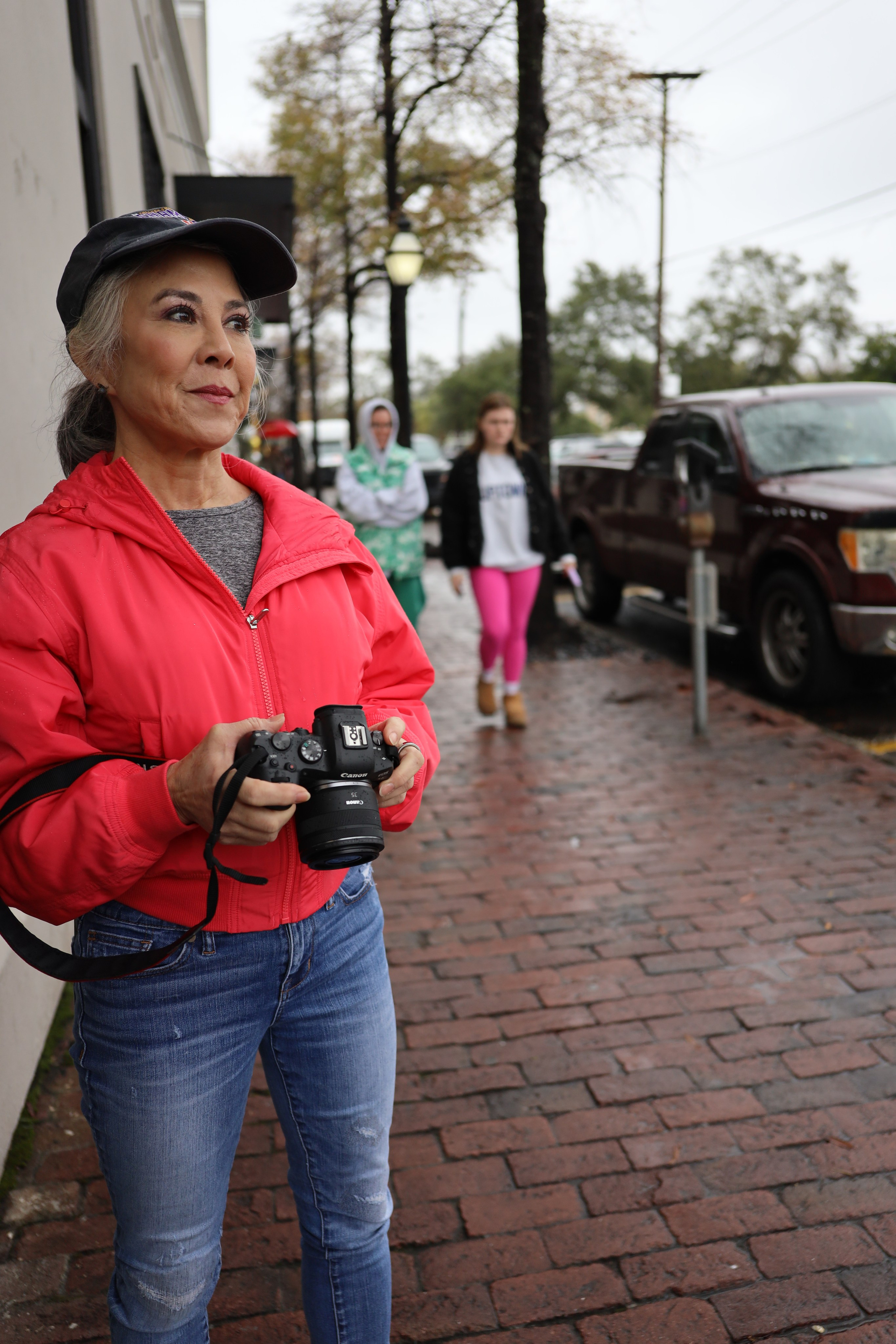
BEGINNER PHOTOGRAPHY 3hr Workshop

A HISTORIC VIEW OF PHOTOGRAPHY 2hr Lecture
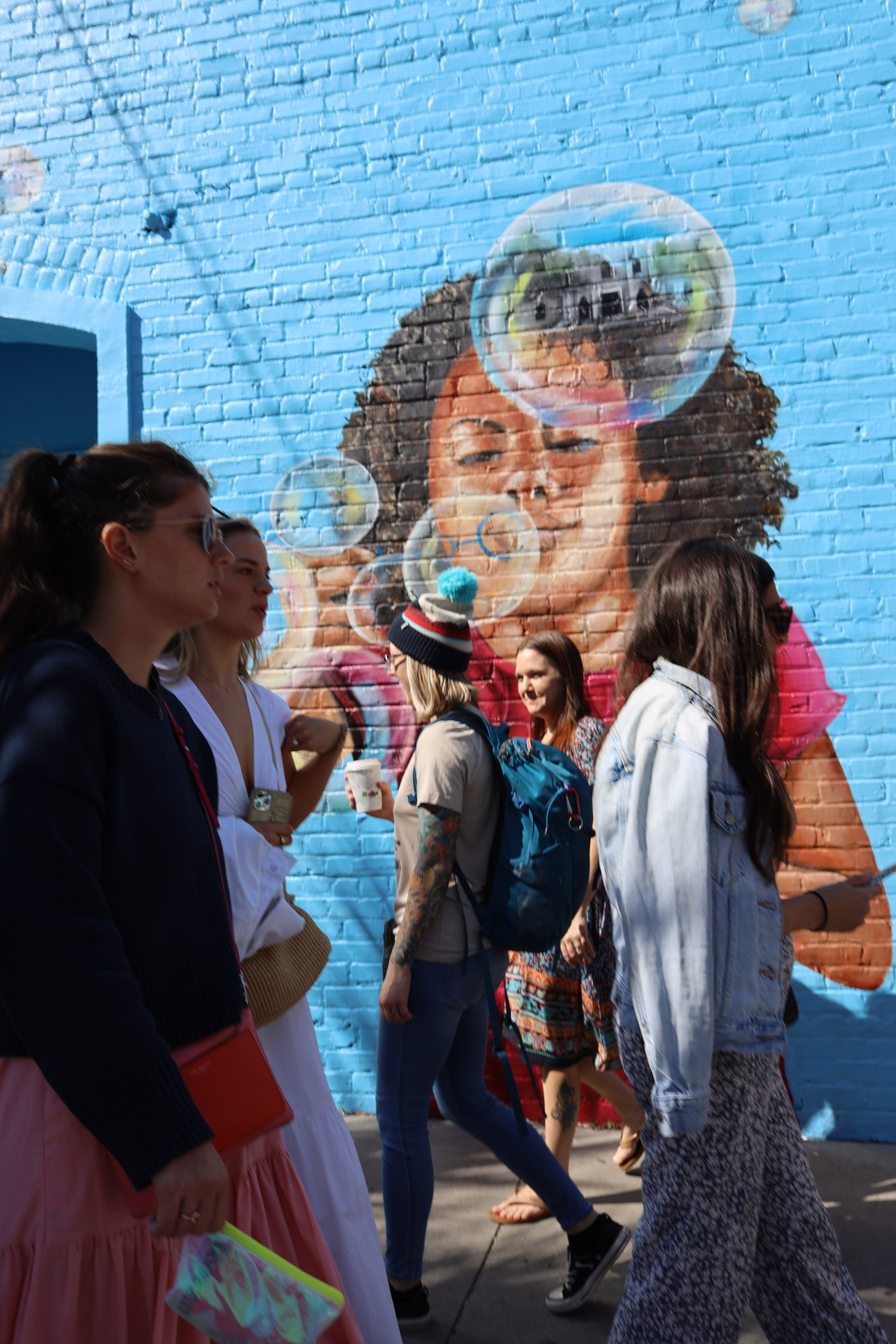
Charleston STREET PHOTOGRAPHY 2hr Workshop

CITYSCAPE PHOTOGRAPHY 2hr WORKSHOP — Learn to photograph the soul of a city
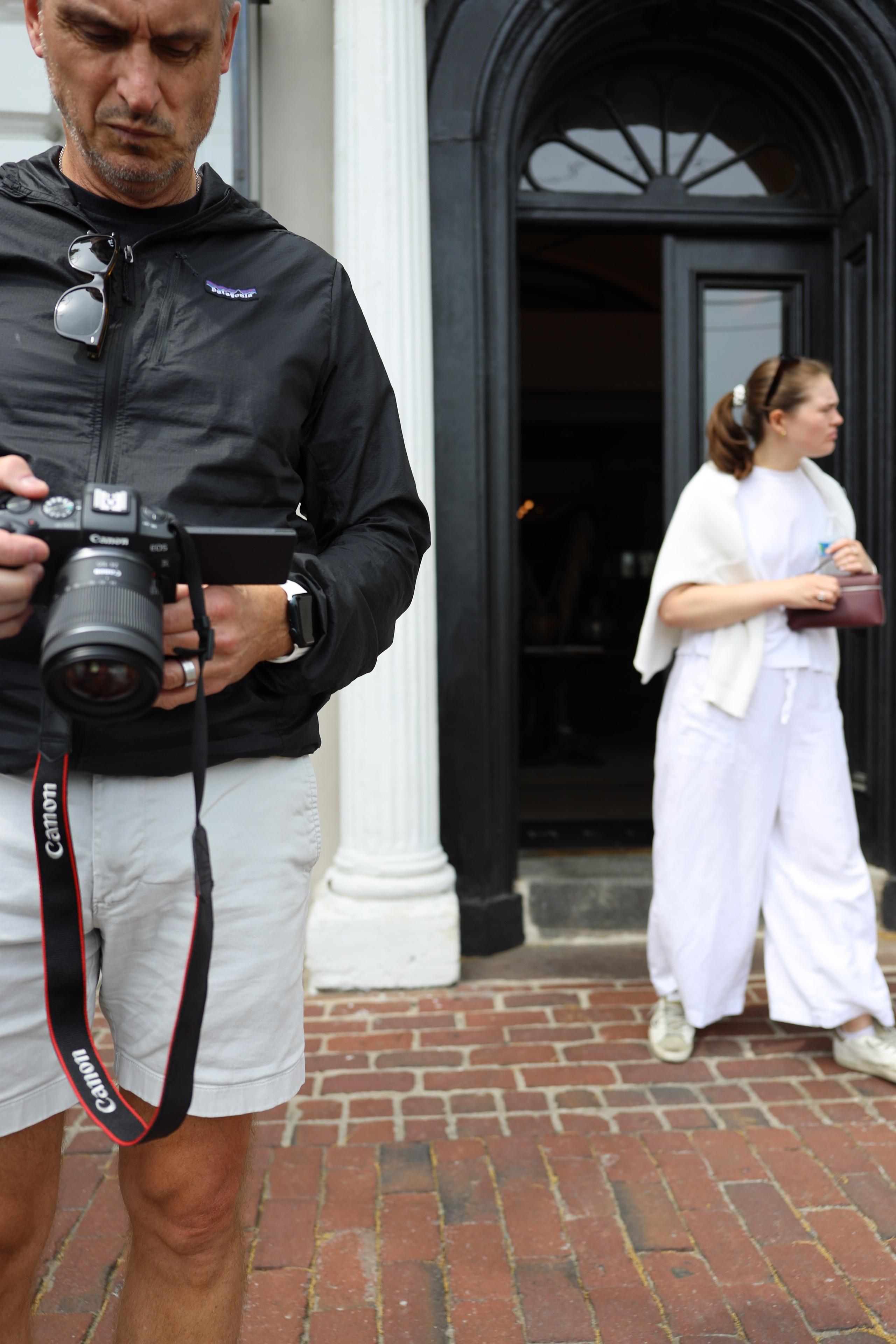
CHARLESTON WALK & SHOOT 2hr WORKSHOP (3-5pm)

SHALLOW DEPTH OF FIELD 2hr Workshop

FLATLAY PHOTOGRAPHY IN A CAFÉ 2Hr Workshop

PORTRAITURE WITH NATURAL LIGHT 2hr Workshop
Review: Excellent information from the photography expert. Engaging and in-depth conversations.
Suggestions: None
Rating: 5/5